
AI-Powered Facility Management for Smart Buildings, Assets & Maintenance
Manage building assets, maintenance, work orders and service teams from one platform, with mobile tools, IoT monitoring and live operational reporting.

Tell Us Your Requirement
Share a few details about your buildings or maintenance needs. Our team will get back to you.
Prefer to talk? +971 56 404 6555 · Email us
What Changes When Facility Operations Run on One Platform
Facility teams rarely fail through lack of effort. They fail because the asset list, the maintenance schedule, the technician's job card and the contractor's invoice all live in different places.
Outcomes depend on data quality, asset coverage and how consistently teams adopt the system. We do not publish generic savings percentages we cannot evidence in your environment.
Smart FM Platform Architecture
A maintenance database on its own is a records system. What makes it an operations platform is the layers around it — analytics, connected devices, spatial context, a mobile workforce and the enterprise systems that carry the money.
Core modules
Modules are configured to your operating model rather than switched on wholesale. Most deployments start with assets, PM and work orders, then extend into IoT, energy, BIM/GIS and integration.
Complete Asset Lifecycle Management
Every maintenance decision traces back to whether you actually know what you own, where it is, and what has already been done to it.
What each asset record carries
Depreciation and financial values are shown where the platform is integrated with your ERP or finance system — the FM platform does not replace the fixed-asset ledger.
Scan-to-asset identification
A technician scans the tag on the equipment and immediately has the record in front of them — no radio call, no hunting through a folder.
- Asset details and criticality
- Manuals and wiring diagrams
- Full maintenance history
- Open work orders
- Warranty and AMC status
- Spare parts fitted previously
- Recent sensor readings
Tagging approach is chosen per asset class — printed QR for most equipment, RFID where hands-free or bulk scanning matters. See smart inspection and our RTLS tracking work.
Work Order Management
From the moment someone reports a fault to the moment a supervisor verifies the fix — one traceable chain, with the evidence attached.
Captured on every work order
Status model
- New
- Assigned
- In Progress
- On Hold
- Waiting for Parts
- Waiting for Contractor
- Completed
- Verified
- Closed
"Waiting for Parts" and "Waiting for Contractor" are separated deliberately — both stop the SLA clock for different reasons, and conflating them hides where delay actually comes from.
Preventive Maintenance That Schedules Itself
PPM schedules are built once from statutory, manufacturer and contract requirements, then generate their own work orders with the checklist, trade, parts and SLA already attached.
Schedule by
Typical cycles: daily, weekly, monthly, quarterly, semi-annual, annual, or every 1,000 operating hours.
Each occurrence generates
- Work order with the correct asset and location
- Task checklist for the trade
- Technician or team assignment
- Required tools list
- Reserved spare parts
- SLA target and escalation path
Predict Failures Before They Become Downtime
Preventive maintenance services equipment on a calendar. Predictive maintenance services it when the evidence says it needs attention — which both prevents surprise failures and stops you servicing healthy equipment for no reason.
What the model reads
What it changes operationally
- Fewer unplanned shutdowns on critical plant.
- Less emergency call-out and overtime spend.
- Longer asset life through earlier intervention.
- Maintenance effort prioritised by risk, not by list order.
- Unnecessary preventive tasks reduced where condition data justifies it.
- Planning built on evidence rather than assumption.
What prediction requires. Useful predictive output depends on having the input data: condition sensors or controller data on the assets concerned, a reasonable history of faults and work orders, and consistent asset identification. Where data is limited, we start with condition monitoring and build toward prediction as reliable history becomes available.
Mobile Technician App
The system is only as good as what gets recorded in the plant room. If closing a job means going back to a desk, it does not get recorded properly.
Offline working. Plant rooms, basements and risers rarely have signal. Offline job access, cached asset data, checklists and photo capture with sync-on-reconnect are configured for sites with limited coverage.
Connect Buildings, Sensors and Maintenance Operations
Yes — IoT sensors can create work orders automatically. A threshold breach becomes a rule, the rule becomes an alert, and the alert becomes an assigned job with the asset already attached.
Device & sensor types
Protocols
Building Management System integration
A BMS controls plant. The FM platform manages what your people do about what the BMS reports. The two are complementary, and we do not propose replacing a functioning BMS.
Dependency. BMS connectivity depends on the controller generation, the protocol exposed and whether the vendor permits API or gateway access. Fire and elevator systems in particular are often read-only for safety and warranty reasons. Scope is confirmed by survey, not assumed.
BIM-Enabled Facility Management & Digital Twin
Yes — BIM can be used for facility management. The value is not the 3D picture; it is that the model already knows where every asset sits, what it is, and what it connects to. Linking that to live maintenance records turns a design deliverable into an operations tool.

Operational uses
- Locate an asset in 3D before sending a technician to find it.
- Select equipment in the model and open its maintenance history.
- Navigate by building, floor and room rather than by asset code.
- Carry design metadata into the asset register at handover.
- Visualise open work orders and faults against their real location.
- Search assets by system, zone or served area from the model.
Digital twin here means a live operational model — building, floors, rooms, assets, sensor status, alarms, open jobs and history — not a rendered walkthrough. Related: RASM digital twin.
Illustrative view. Real models are driven from your Revit/IFC data and live asset status.
GIS & Multi-Site Asset Operations
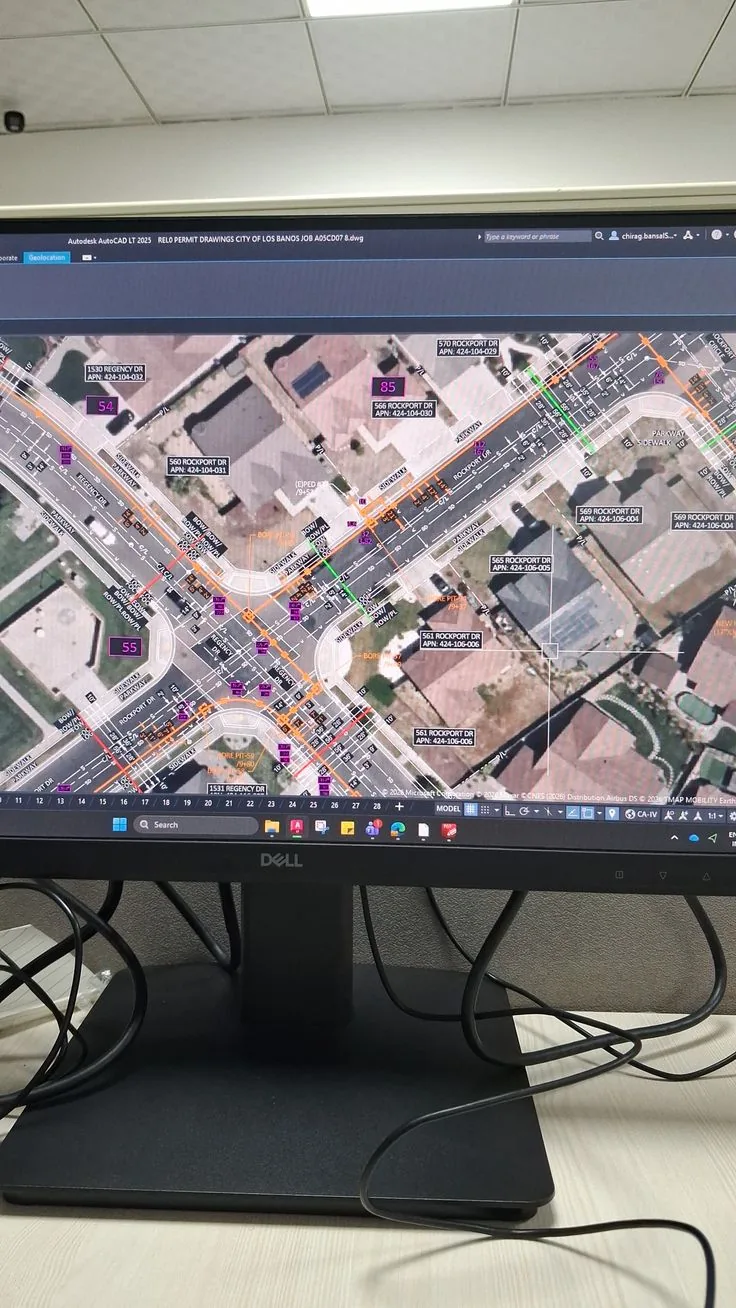
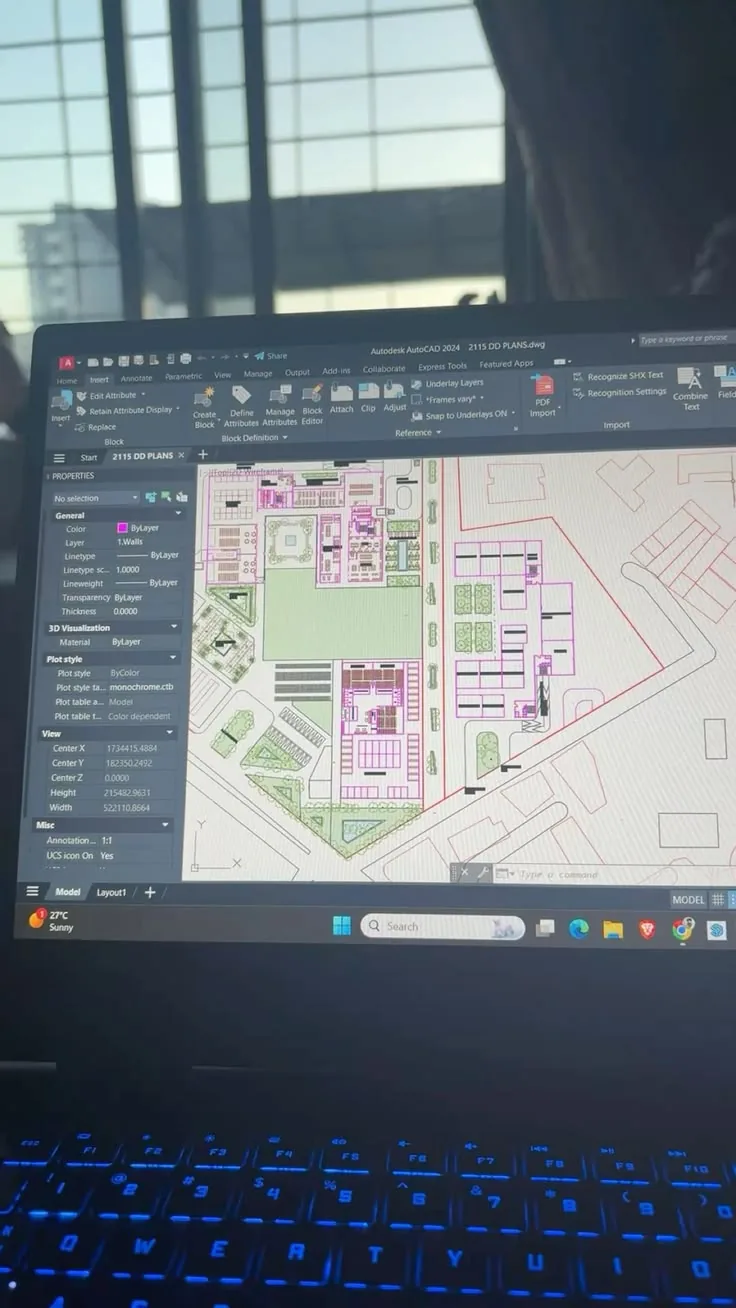
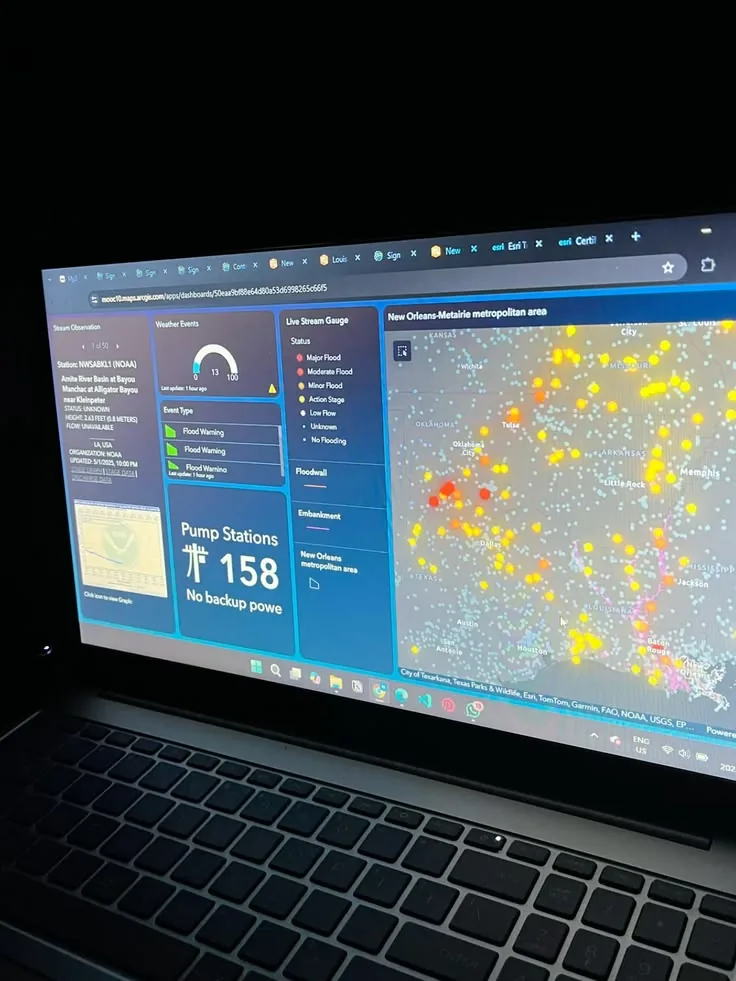
Buildings are only part of the estate. Municipalities, campuses, utilities and large developers also maintain assets that sit outdoors and across distances — where a floor plan is the wrong tool and a map is the right one.
Spatial asset management
Typical distributed assets
Our GIS work is documented across the engineering knowledge hub, including ArcGIS integration and CAD/BIM-to-GIS automation.
Multi-site hierarchy
Group management compares SLA, maintenance cost, energy, asset health, contractor performance and work-order volume across sites, cities and countries — while each site keeps its own operating detail.
Reduce Energy Waste With Real-Time Facility Intelligence
Energy is usually the largest controllable line in a facility budget, and the one with the least visibility between monthly bills.
Anomalies AI can surface
- Consumption continuing overnight when the building is empty.
- HVAC running outside published occupancy schedules.
- Equipment drawing more power than its own historical baseline.
- A floor or tenant diverging from comparable areas.
Illustrative values. Actual baselines are established from your own meter history.
Space, Occupancy & Cleaning Operations
Space management
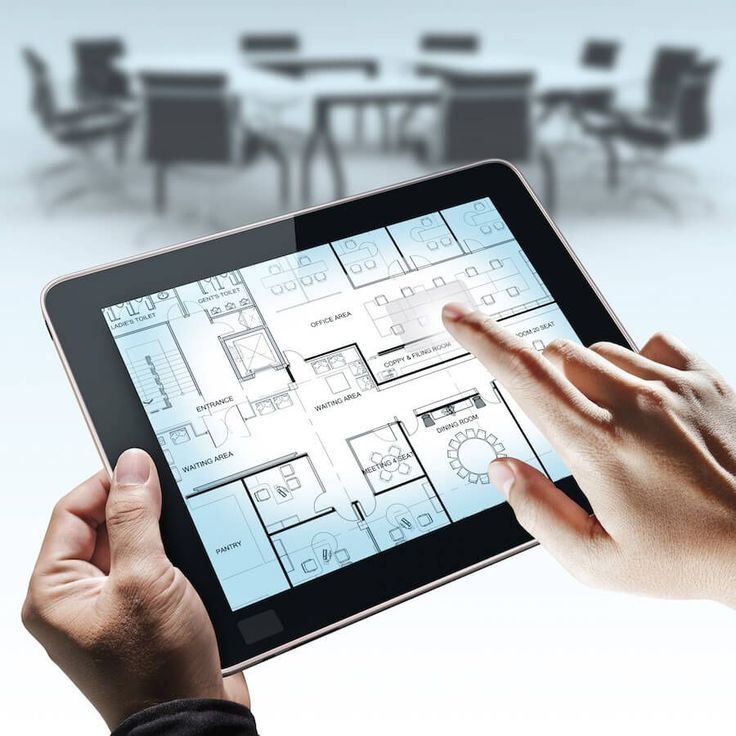
Used for workplace planning, hot-desking, meeting-room demand, departmental allocation and identifying space that is paid for but not used. Occupancy sensors can feed utilisation directly rather than relying on periodic manual surveys.
Cleaning management
Cleaning moves from a fixed rota to demand-based work where occupancy or footfall data is available — restrooms serviced against actual use rather than a timetable, with QR check-in proving attendance.
Service Requests & Facility Helpdesk
Most facility problems are reported by someone who is not in the facility team. The easier that is, the earlier you hear about faults — and the fewer of them escalate.
Request channels
An occupant scans the QR sticker in a meeting room and reports an AC fault. The ticket already knows the building, floor, room and the AHU serving that zone — so nobody has to ask "where are you?"
WhatsApp. Implemented through the official WhatsApp Business platform with approved templates. A message is classified, matched to a site and raised as a ticket, with status updates sent back on the same thread. We do not implement unofficial automation of personal WhatsApp accounts.
AI request classification
Free-text complaints are routed to the right trade without the reporter needing to know how you organise your teams.
Voice & AI service desk
Optional speech-to-text on calls, with call summary, request classification, ticket creation and priority detection. A human escalation path is always available — the assistant triages, it does not gatekeep.
SLA Management & Escalation
SLAs only mean something when breaches are visible while they can still be fixed, not in a report at month end.
Tracked continuously
- SLA compliance by site, trade and priority.
- Overdue work orders with age and owner.
- Average response time and average repair time.
- Contractor SLA against contracted terms.
- Technician SLA and first-time fix rate.
SLA clocks pause on defined hold states — waiting for parts, waiting for access, waiting for contractor — so performance reflects what your team controlled.
Contractors, Contracts & Spare Parts
Contractor management
Contractors, contracts, scope, SLA, insurance, trade licence, certifications, work permits, assigned jobs, performance and invoice status — with expiry alerts on every document.
Contract & warranty
AMC and service contracts, asset warranties, covered assets, start and end dates, renewal terms, vendor and cost, with attachments held against the record.
Alerts fire far enough ahead to actually renegotiate, not the week it lapses.
Spare parts & inventory
Part catalogue, stores and bins, minimum stock and reorder levels, reservation against work orders, issue and return, consumption history, supplier and cost.
Where stock accuracy matters, this connects to our warehouse and inventory capability.
Inspections, Checklists & Permit to Work
Inspection results are evidence. Captured on paper they are hard to search, easy to lose and impossible to trend.
Inspection types
Checklist input types
Permit to work
For industrial sites, data centres and large estates, high-risk work can be gated behind an approval workflow before a technician or contractor is allowed to start.
These are configurable workflow and record-keeping tools that support your safety process. They do not constitute regulatory certification, and they do not replace your own competent-person sign-off or statutory obligations.
AI Facility Copilot
The operational history is already in the system. The copilot's job is to answer questions from it in plain language, so insight does not depend on knowing how to build a report.
Knowledge base & retrieval
Yes — AI can read your maintenance manuals. Documents are indexed so a technician can ask a question and get the relevant procedure rather than a 400-page PDF.
Retrieval respects the same permissions as the rest of the platform — the assistant returns only what that user is already authorised to see. For government and regulated customers this can run on private or on-premises AI infrastructure so documents never leave your environment.

Technicians use the same asset history and maintenance context while working on site.
Automation Builder
Rules are written as trigger, condition and action — readable by the FM manager who owns the process, not only by whoever built the system.
Industry Solutions
The same platform, configured around very different definitions of "critical".
Data centres
Generators, UPS, cooling and power paths with zero-tolerance escalation, inspection regimes and full change evidence.
Airports & transport
High-traffic infrastructure, zoned SLAs, permit control and 24/7 shift handover across very large asset counts.
Retail & malls
Multi-tenant coordination, chargeable works, contractor access control and common-area service levels.
Dashboards, KPIs & Reporting
Four audiences, four different questions — served from the same underlying records.
FM KPIs
Standard reports
ERP, Enterprise & Smart Building Integrations
| System | What flows | Method |
|---|---|---|
| Odoo | Purchase requests, vendors, stock, invoices, cost centres | API / Custom |
| SAP | Purchase orders, materials, vendor master, finance postings | API / Middleware |
| Oracle | Asset finance data, procurement, supplier records | API / Middleware |
| Microsoft Dynamics 365 | Vendors, purchasing, cost allocation | API |
| IBM Maximo | Asset master and work order history during migration | API / Export |
| Esri ArcGIS | Spatial asset layers, campus and utility geometry | API |
| Revit / IFC | Model-linked asset data at handover | File / Custom |
| Active Directory / Entra ID | Single sign-on, users, roles | SSO |
| BMS controllers | Alarms, run hours, sensor readings | BACnet / Modbus / OPC |
| Access control & CCTV | Contractor attendance, permit verification | API |
Integration method matters. None of the above is claimed as a pre-certified native connector. Each is built as API, middleware or custom integration and confirmed against the specific versions, licences and network access in your environment. See ERP system integration and Oracle ERP.
Locate People, Tools and Mobile Assets
Fixed plant stays where you left it. Portable equipment does not — and time spent looking for it is time not spent maintaining anything. RTLS position can be written back onto the FM asset record.
Achievable accuracy depends entirely on the technology chosen — UWB, BLE or Wi-Fi — and on site conditions. We size that per building rather than quoting a headline figure. See MOWQIE RTLS.
Smart building ecosystem
Related capability: AI video surveillance, CCTV designed around SIRA requirements and cybersecurity for connected building infrastructure.
When a Configurable Platform Makes Sense
An established FM product usually fits when
Your estate is conventional, your processes can adapt to the product, and you want a known roadmap and vendor support model. Platforms such as Maximo, Planon, Archibus, Infor EAM and the newer mobile-first CMMS tools are well proven in that setting.
A configured platform fits when
You need on-premises deployment for data residency, Arabic-first field users, GIS-located outdoor assets, BIM handover data carried into operations, RFID/RTLS identity, deep ERP coupling, or workflows — permits, chargeable works, service charges — that a fixed product will not bend to.
We also integrate with or migrate from these platforms rather than always replacing them. If an existing system is serving you well, extending it is usually the cheaper honest answer.
Frequently Asked Questions
It brings building assets, maintenance schedules, work orders and service requests into one system, with reporting across sites.
CMMS focuses on assets and maintenance. CAFM also manages buildings, spaces and occupancy. Many organisations need both.
Yes. Teams can manage buildings, floors, rooms and assets locally, while comparing service levels and costs across the estate.
It can connect through available protocols or vendor APIs. The specific read and write access depends on the BMS controllers and vendor permissions, so we confirm it during discovery.
Yes. BIM can link asset records to building models, while GIS can map outdoor assets, campuses and distributed sites.
Offline access to assigned jobs, cached asset details, checklists and photos can be configured for sites with limited coverage.
Yes. Integrations with systems such as Odoo, SAP and Oracle are scoped to your versions, licences, APIs and network access.
Yes. Cloud, private cloud, UAE-hosted, on-premises and hybrid deployment options are available.
Yes. Data can be migrated from spreadsheets, legacy CMMS or CAFM platforms, ERP asset lists, BIM or GIS sources, subject to export and access.
Arabic and English interfaces with right-to-left layout are supported for field teams and managers.
Related Solutions
Solution scenarios
How this typically works for a specific kind of organisation. These are scenarios, not client case studies. See all solution scenarios.