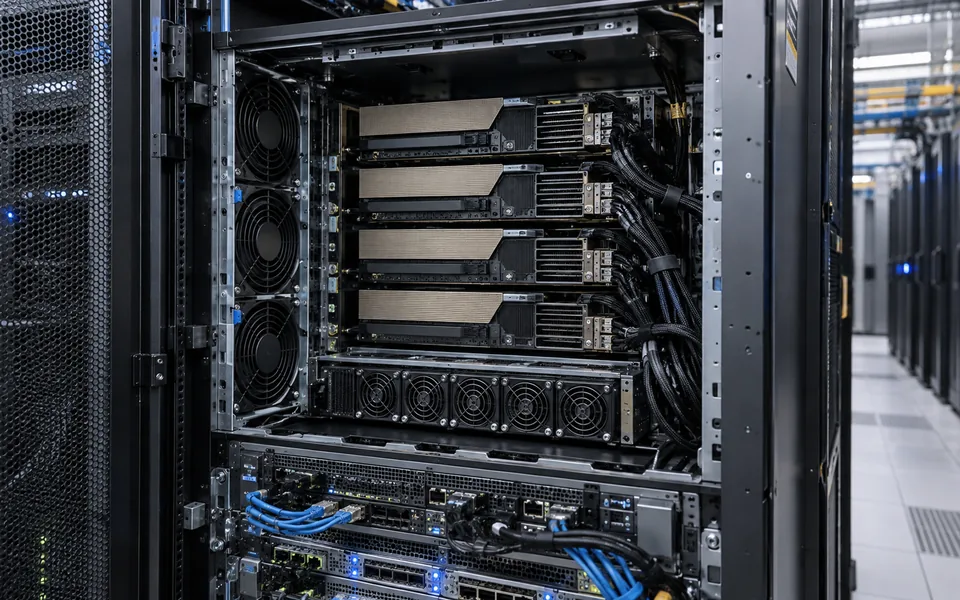
AI GPU Servers for Enterprise Workloads

A rack server configured with accelerators for model training or inference, deployable inside the organisation rather than in a public cloud.
How to choose
Accelerator count, memory per accelerator and interconnect are set by the model size and concurrency the workload actually needs. Power and cooling capacity in the rack are usually the real constraint.
Match the server to the AI workload
Training, fine-tuning and inference place different demands on a GPU server. Training and fine-tuning can require multiple accelerators to exchange data quickly, while inference capacity depends on model size, response targets and the number of simultaneous users. Retrieval-augmented generation also needs a dependable path to the document store and search index. Start with the models and software you plan to run, then size the system around measured workload needs.
GPU memory determines which models and batch sizes can fit. CPU capacity, system memory and storage matter too: they prepare data, support the operating system and keep model files and datasets available. For multi-GPU configurations, check how the accelerators connect to one another and confirm that the chosen framework supports the planned topology.
Plan the complete server environment
Confirm the rack space, electrical supply, cooling and network capacity before selecting hardware. High-density accelerator systems produce substantial heat and can require dedicated power and cooling review. Include storage throughput, network paths to users and data, backup arrangements and physical access controls in the design. The final specification should fit the actual site and the supplier’s validated configuration.
Choose where models and data will run
An AI GPU server can support on-premise, private-cloud or hybrid deployments, depending on security, data-residency and operating requirements. Decide where prompts, source documents, model weights, logs and backups will be stored and which systems can reach them. Identity controls, network segmentation, patch ownership and monitoring should be agreed before the server enters production. See our guide to private and on-premise enterprise AI and compare cloud AI with private AI.
Test with the intended applications
Evaluate a proposed configuration using representative models, data and user concurrency. Record response time, throughput, accelerator memory use and power behaviour under the conditions the team expects in production. Confirm the application stack, drivers, container or orchestration approach, storage access and security controls together. This gives the project team a clear basis for acceptance and future capacity planning.
Typical applications
- Private LLM and RAG
- Computer vision inference, including AI inspection
- On-premise AI for regulated data
Deciding where the model should run? Compare cloud AI and private AI, and see GPU server sizing for AI workloads for the sizing method.
Specifications
Exact specifications depend on the manufacturer and variant selected for your project. We confirm them against the supplier datasheet before quoting rather than publishing indicative figures here.
Enterprise AI server platforms
Choose a Supermicro-style GPU server architecture based on model size, concurrent users, storage, networking, power and cooling. Final hardware is confirmed through an engineering review.