Computer Vision and AI Video Analytics in the UAE
Computer vision uses trained AI models to detect people, vehicles, objects and conditions in camera video and turn them into timestamped events. Swedish Technology designs, integrates and supports computer vision and AI video analytics on new or existing CCTV: use-case selection, camera review, model configuration, edge or server deployment, VMS and workflow integration, and a measured pilot before scale-up.
Key facts
- Most analytics take standard IP camera streams over RTSP; ONVIF is commonly used for discovery, profiles and metadata.
- Detection accuracy depends on camera angle, pixels on target, lighting, occlusion and weather, so it is validated per site.
- Every detection carries a confidence score; the alert threshold trades false alarms against missed events.
- GPU load scales with stream count, resolution, analysed frame rate and model size, not with camera count alone.
- ANPR typically needs a dedicated camera with a narrow field of view, controlled shutter speed and infrared illumination.
- Visual smoke and fire detection is an early-warning layer and does not replace certified fire detection systems.
In short
This page is the decision guide for computer vision and AI video analytics: which detections are realistic, what affects accuracy, how analytics connect to existing cameras and VMS, where processing should run, and how to prove value with a small pilot before buying at scale.
It sits above our specific offerings: RAQEEB, our AI video analytics platform, and the pages on AI video monitoring, smart inspection and security AI products.
Detection catalogue: what computer vision can reliably detect
Each detection is a model plus rules: zones, directions, dwell times, object classes and schedules. Feasibility depends on the camera view and is confirmed on site footage.
PPE detection
Checks helmets and high-visibility vests, sometimes gloves, masks or harnesses, in defined zones. Small items need close views and more pixels per person.
Intrusion and perimeter
Flags people or vehicles crossing a virtual line or entering a restricted zone, filtering out animals, vegetation and weather.
Loitering
Alerts when a person stays in a zone beyond a set time, for example near entrances, fences or storage areas after hours.
Crowd density
Estimates occupancy per zone and alerts on thresholds. Accuracy drops with heavy overlap and low camera height.
Fall and man-down
Detects a person falling and staying down. Needs clear, elevated views and tuning so sitting or kneeling does not trigger alerts.
Smoke and fire (visual)
Looks for visual smoke or flame patterns in open or large spaces as an early warning. It supplements, and never replaces, certified fire detection and alarm systems.
ANPR
Reads number plates for access control, parking and enforcement workflows. Needs purpose-positioned cameras, IR illumination and correct shutter settings; general overview cameras rarely read plates reliably.
Object left or removed
Flags unattended items or equipment missing from a monitored area. Busy scenes raise the false-alarm rate.
Vehicle and forklift proximity
Detects pedestrians too close to moving forklifts or plant in yards and warehouses. Camera-based proximity supports, but does not replace, on-vehicle collision avoidance systems.
Queue monitoring
Measures queue length and waiting time at counters, gates or check-in so staff can be reallocated early.
Visual defect inspection
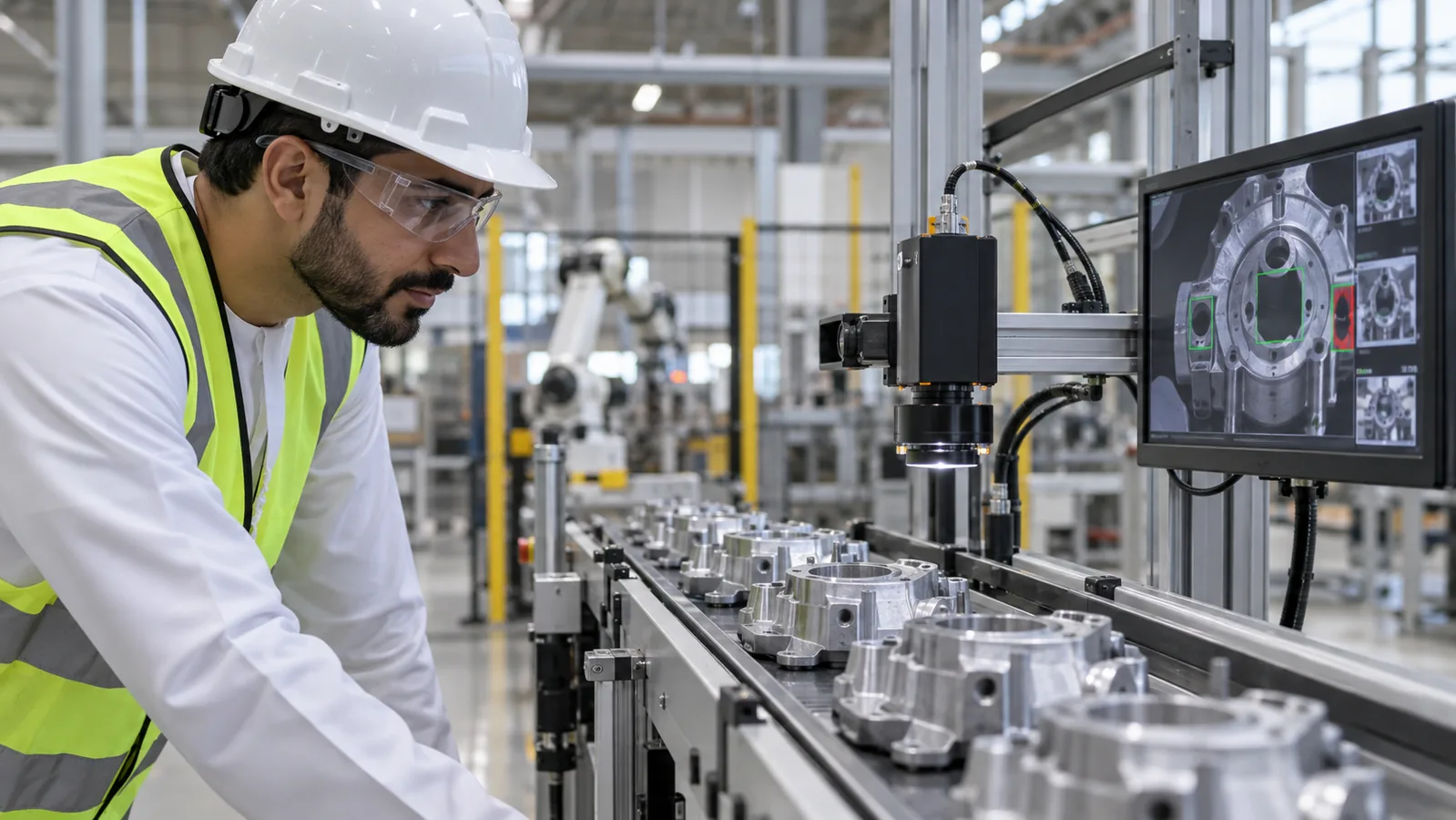
Locates cracks, corrosion, surface damage, missing parts or labelling errors on lines or asset images. Needs controlled lighting and labelled real defects.
How a computer vision system is put together
A typical deployment has five layers, kept separate so cameras, models or workflow tools can change independently.
Capture
IP cameras or existing CCTV streams, plus any dedicated cameras for ANPR or inspection. Stream choice (main or sub-stream) directly affects accuracy and compute load.
Inference
Edge devices, on-premise GPU servers or cloud instances run the detection models on decoded frames and produce events with confidence scores.
Rules and events
Zones, schedules, dwell times and thresholds turn raw detections into meaningful events and suppress duplicates.
Operator layer
Alert console or VMS integration where operators see the clip, confirm or dismiss the event and add notes.
Workflow and data
Confirmed events go to ticketing, ERP, CMMS or dashboards, and evidence is stored under a defined retention policy.
Industries and typical applications
Government
Perimeter protection, visitor area occupancy and facility safety across multiple buildings, often with on-premise processing.
Roads and transport
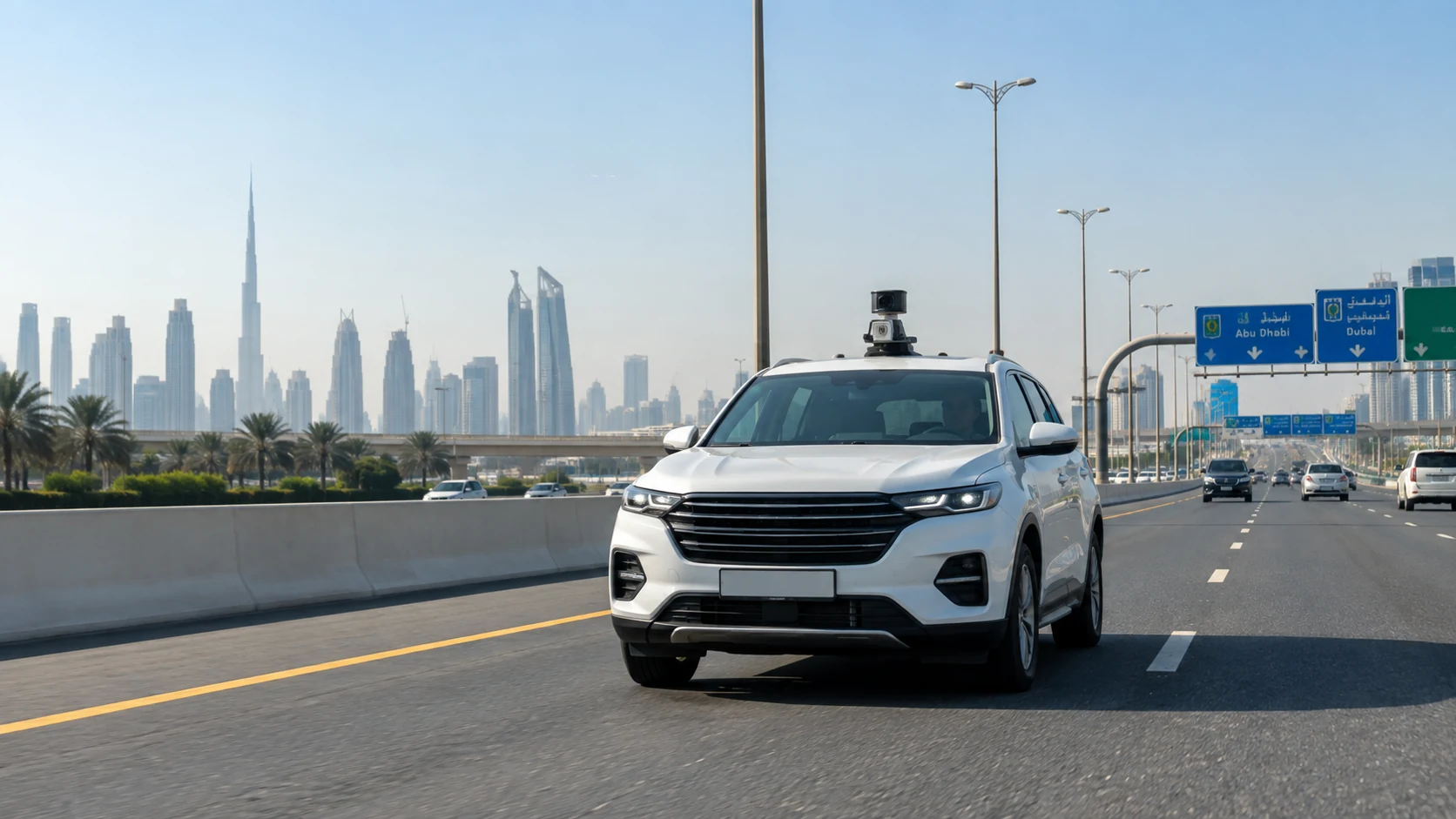
ANPR, incident and stopped-vehicle detection, and road asset or pavement condition inspection from vehicle-mounted cameras.
Airports
Queue length at check-in and security, crowd density in terminals, and restricted-area intrusion on airside boundaries.
Hospitals
Fall detection in selected areas, restricted-zone access and visitor flow, with strict privacy review for patient areas.
Warehouses and logistics
Forklift and pedestrian proximity, PPE in loading bays, blocked aisles and dock activity monitoring.
Construction
PPE compliance, exclusion zones around plant and lifting operations, and after-hours site intrusion.
Oil and gas
PPE and permit-zone compliance, visual smoke or leak indicators as early warning, and corrosion or defect inspection from images.
Malls and retail
Occupancy and crowd density, queue monitoring, unattended objects and footfall patterns by zone.
Integrating with existing cameras and VMS
Most projects reuse existing cameras. The usual method is to pull streams over RTSP, often discovered via ONVIF, analyse them on a separate inference layer, and return events to the VMS or an alert console. Where the VMS supports it, events can appear as native alarms with bookmarks linked to the recorded video.
Before committing, we check codec support (H.264 or H.265), available stream profiles, network bandwidth between cameras and inference hardware, and whether the VMS licence allows additional stream connections or third-party events.
VMS built-in analytics versus dedicated AI video analytics: built-in rules such as line crossing or motion zones are cheap and convenient in a single-vendor estate, but the detection range is narrower and custom classes, per-camera tuning and workflow integration are limited. Dedicated analytics add broader detections, cross-vendor camera support and links to ticketing and ERP, at the cost of extra compute and integration effort. Many sites combine both.
VMS (plugin or API)
Events and metadata pushed as VMS alarms or bookmarks; operators review video in the tool they already use.
Cameras (ONVIF / RTSP)
Live streams pulled for analysis; ONVIF profiles used for discovery and, where supported, camera metadata.
Ticketing and CMMS (e.g. IBM Maximo)
Confirmed safety or maintenance findings raised as work orders with image evidence attached.
ERP (e.g. SAP, Oracle, Odoo)
Inspection results, defect counts or vehicle movements linked to assets, orders or shipments.
Access control and PSIM
ANPR reads or intrusion events used to trigger gates, lock doors or feed a command centre.
Accuracy, thresholds, privacy and retention
No vendor can promise a fixed accuracy figure for your site. Performance depends on camera placement and height, pixels on target, lighting, occlusion, weather and dust, and how closely your scenes match the training data. We validate each detection on labelled footage from your own cameras.
Each detection has a confidence score. A lower alert threshold catches more real events but raises more false positives; a higher one cuts nuisance alerts but misses more. Safety-critical detections usually favour recall with human verification. Thresholds are set per camera and use case.
Design privacy in from the start: define purpose per camera, mask unneeded areas, restrict viewing and export, and set separate retention periods for video, snapshots and event data. The UAE Personal Data Protection Law, free-zone regimes and sector rules may apply; whether a deployment meets them depends on project configuration, hosting and the relevant approvals.
Hosting can be on-premise, private cloud or UAE-hosted cloud, with role-based access, audit logs, encrypted storage and network segmentation.
Key components
GPU sizing: stream count
The number of streams analysed concurrently is the first driver; not every camera needs analytics all day.
GPU sizing: resolution
Higher resolution helps small or distant objects but increases decode and inference cost. Sub-streams are often enough for large objects.
GPU sizing: analysed frame rate
Analysing 5 fps instead of 25 fps cuts compute sharply. Fast events such as falls or vehicle proximity may need higher rates.
GPU sizing: model size and count
Larger models and multiple models per stream (for example person detection plus PPE classification) multiply load. Video decode capacity also matters.
Where this is used in the UAE and the GCC
Event to operator
A detection above threshold creates an event with a short clip and snapshot; the operator sees it in the console or VMS alarm list.
Human-in-the-loop verification
The operator confirms, dismisses or escalates. Dismissals are logged and used to tune zones, thresholds and future model retraining.
Ticket, ERP or CMMS action
Confirmed events create a ticket or work order with owner, location and evidence, so follow-up is tracked to closure.
Evidence export
Clips, snapshots, timestamps and operator notes are exported in a defined format with an audit trail for investigations or reporting.
How a project runs
Assess
Agree the problem, target detections and who acts on alerts. Output: a prioritised use-case list.
Camera and site survey
Review camera views, streams, VMS, network and lighting, and collect sample footage. Output: feasibility per camera and any new cameras needed.
Design
Define zones, rules, thresholds, processing location, GPU sizing and integrations. Output: architecture and bill of materials.
Pilot
One camera and one zone per use case on labelled site footage. Output: measured precision, recall and latency.
Deploy
Phased roll-out with per-view tuning. Output: commissioned analytics with documented configuration.
Integrate
Connect events to VMS, ticketing, ERP or CMMS. Output: closed-loop workflows with evidence attached.
Operate and support
Monitor alert quality, retune thresholds, update models and manage camera changes.
Edge vs on-premise server vs cloud: where should analytics run?
| Option | Best fit when… | Limitations | Typical environment |
|---|---|---|---|
| Edge device (smart camera or small GPU box) | Few cameras per location, low latency needed, limited uplink bandwidth | Limited model size and number of analytics per device; updates across many sites need management tooling | Remote sites, construction compounds, gates, individual warehouses |
| On-premise GPU server | Tens to hundreds of cameras, video must stay on site, several analytics per stream | Upfront hardware, rack space, power and cooling; capacity must be planned | Government sites, airports, hospitals, large campuses, industrial plants |
| Private or UAE-hosted cloud | Many small sites, centralised management, elastic compute for batch or retrospective search | Continuous upload bandwidth; data residency and sector rules must be checked before any video leaves the site | Retail chains, distributed facilities, multi-site operators |
| Hybrid (edge detection, central review) | Detection close to cameras with events and clips sent to a central console | More components to manage and secure; needs clear version control of models | Road networks, oil and gas assets, multi-site security operations |
| VMS built-in analytics | Simple rules such as line crossing or motion in a single-vendor estate | Narrower detection range, harder to add custom classes or workflows | Small to medium CCTV systems with basic needs |
Risks and common mistakes
Buying on a demo video
Vendor demos use ideal footage. Insist on testing with recordings from your own cameras.
Assuming every camera can do every analytic
Overview cameras rarely support ANPR or small-PPE detection. Map detections to camera views first.
No owner for alerts
Define who responds, how fast and in which system before go-live, or alerts will be ignored.
Undersized compute
Size GPUs on streams, resolution, frame rate and models, with headroom for growth and failover.
Treating visual fire or proximity detection as a certified safety system
Position these as supplementary layers alongside certified fire and collision-avoidance systems.
What to check before you commit
- List of priority use cases and the action expected for each alert
- Camera inventory with models, locations, resolution, codec and stream profiles
- Sample recordings from target cameras covering day, night and busy periods
- VMS product, version and licence terms for third-party integration
- Network diagram showing bandwidth between cameras and proposed processing location
- Hosting constraints, including whether video may leave the site
- Named operators and escalation path for each alert type
- Target systems for tickets or work orders (ERP, CMMS, helpdesk)
- Privacy requirements, masking needs and retention periods for video and events
Pilot / proof of concept: one camera, one zone
A pilot should be small enough to measure properly. We recommend one camera and one zone per use case, running on the production-intended hardware or an equivalent, with footage from your own site. A pilot typically runs 4–8 weeks including setup, depending on camera readiness and the number of use cases.
Before starting, both sides agree a labelled test set of site footage, the metrics to be measured, and pass thresholds. The pilot ends with a report showing results per detection, false-alarm examples, and changes needed for scale-up.
Precision
Share of raised alerts that were real events, measured against human-labelled site footage and operator confirmations.
Recall
Share of real events in the labelled footage that the system detected, including difficult conditions such as night or occlusion.
Alert latency
Time from the event appearing in the video to the alert reaching the operator console or VMS.
False alarms per camera per day
Nuisance alerts during live operation, reviewed by cause (lighting, reflections, similar objects).
What drives the cost
Cost depends mainly on how many streams are analysed, which detections are used and where processing runs.
Number of analysed streams
Drives software licences and GPU capacity more than total camera count.
Detection types
Standard detections cost less to configure than custom classes that need data collection, labelling and training.
Processing location
Edge devices, on-premise servers and cloud have different upfront and running cost profiles.
Integration depth
Alerts in a console are simpler than two-way VMS, ERP or CMMS integration with evidence handling.
Support and model updates
Ongoing tuning, retraining and camera change management are recurring costs to plan for.
Questions buyers ask
Can AI video analytics work with my existing CCTV cameras?
Usually, yes. Most IP cameras provide RTSP streams that analytics software can process, and ONVIF helps with discovery. What decides feasibility is each camera's view: angle, height, resolution and lighting. Overview cameras suit intrusion, crowd and loitering detection, while ANPR and small PPE items often need dedicated or repositioned cameras. A camera survey with sample footage answers this before you buy anything.
How accurate is AI video analytics?
There is no honest single figure. Accuracy depends on camera placement, pixels on target, lighting, occlusion, weather and how similar the scene is to training data. The right approach is to measure precision and recall on labelled footage from your own cameras during a pilot, then tune thresholds per camera. Be wary of any vendor quoting a universal accuracy percentage.
What is the difference between false positives and false negatives in CCTV analytics?
A false positive is an alert for something that did not happen, such as a shadow flagged as an intruder. A false negative is a real event the system missed. Lowering the confidence threshold reduces misses but increases false alarms, and raising it does the opposite. Safety detections usually accept more false alarms with human verification; high-volume detections prioritise fewer false alarms.
Should video analytics run on the edge, on a server or in the cloud?
Edge suits a few cameras per site, low bandwidth or low latency needs. On-premise GPU servers suit larger estates and sites where video must stay local. Cloud suits many small sites with good bandwidth, subject to data residency and sector rules. Hybrid designs, with detection at the edge and review centrally, are common for distributed assets such as roads or pipelines.
How many cameras can one GPU server handle?
It depends on the number of streams analysed at once, their resolution, the analysed frame rate, and the size and number of models per stream. Video decoding also consumes capacity. Analysing sub-streams at a few frames per second allows far more streams than full resolution at full frame rate. We size from your actual use cases and add headroom for growth and failover.
Can AI replace fire detection or forklift collision systems?
No. Visual smoke and fire detection is a useful early warning, particularly in large open spaces, but it does not replace certified fire detection and alarm systems. Camera-based forklift and pedestrian proximity alerts support site safety, but on-vehicle collision avoidance and physical controls remain the primary safeguards. Both should be positioned as supplementary layers.
How does ANPR work for car parks and gates in the UAE?
ANPR uses a camera positioned for the lane, with a narrow field of view, fast shutter and infrared illumination, to capture the plate and read it with a recognition model. Reads are matched against allow or deny lists or logged for parking and audit. Plate formats vary by emirate, so the recognition engine must be tested on local plates at the actual site.
What privacy rules apply to AI CCTV analytics?
Considerations include the UAE Personal Data Protection Law, free-zone data protection regimes, and sector-specific rules for health, government and critical infrastructure. Good practice is defining purpose per camera, masking unneeded areas, restricting viewing and export, and setting separate retention periods for video and event data. Whether a deployment meets applicable rules depends on configuration, hosting and the approvals of the relevant authority.
What should a computer vision pilot include?
Keep it to one camera and one zone per use case, running on representative hardware with your own footage. Agree a labelled test set and pass criteria before starting: precision, recall, alert latency, false alarms per camera per day, and whether confirmed events reach the right workflow. The output should be a measured report and a list of changes needed before scaling.

Basir Vision AI – Convert Camera Feeds into Actionable Operational Intelligence
The brochure summarises how camera feeds are turned into operational events in a printable format for sharing with stakeholders who are not reviewing this page.
Related solutions
- RAQEEB AI video analytics
- AI video monitoring
- Smart inspection
- Security AI products
- Forklift collision avoidance
- AI GPU servers
- AI server configurator
- AI solutions hub
- Computer vision knowledge hub
- AI CCTV integration
- AI video analytics for safety and compliance
- Site safety computer vision
- Industrial vision inspection
- GPU server sizing
- From AI pilot to production
- AI CCTV surveillance and smart inspection projects
- VMS upgrade and integration projects
- Computer vision for government operations
Test computer vision on your own cameras
Send us your camera list and priority use cases. We will review feasibility per camera and propose a one-camera, one-zone pilot with agreed acceptance criteria.
Request a PoC Request pricing or a BoQ Browse the Resource Centre